Instagram Follower Comparison
Compare your Instagram following vs followers lists to see who doesn't follow you back.
Step 1: Export Your Instagram Data
You'll need to request your Instagram data from Meta. This process is secure, and we don't receive your login.
Open Instagram Data Export
Follow these steps to export your data:
- Click the button below to open Instagram's data export page
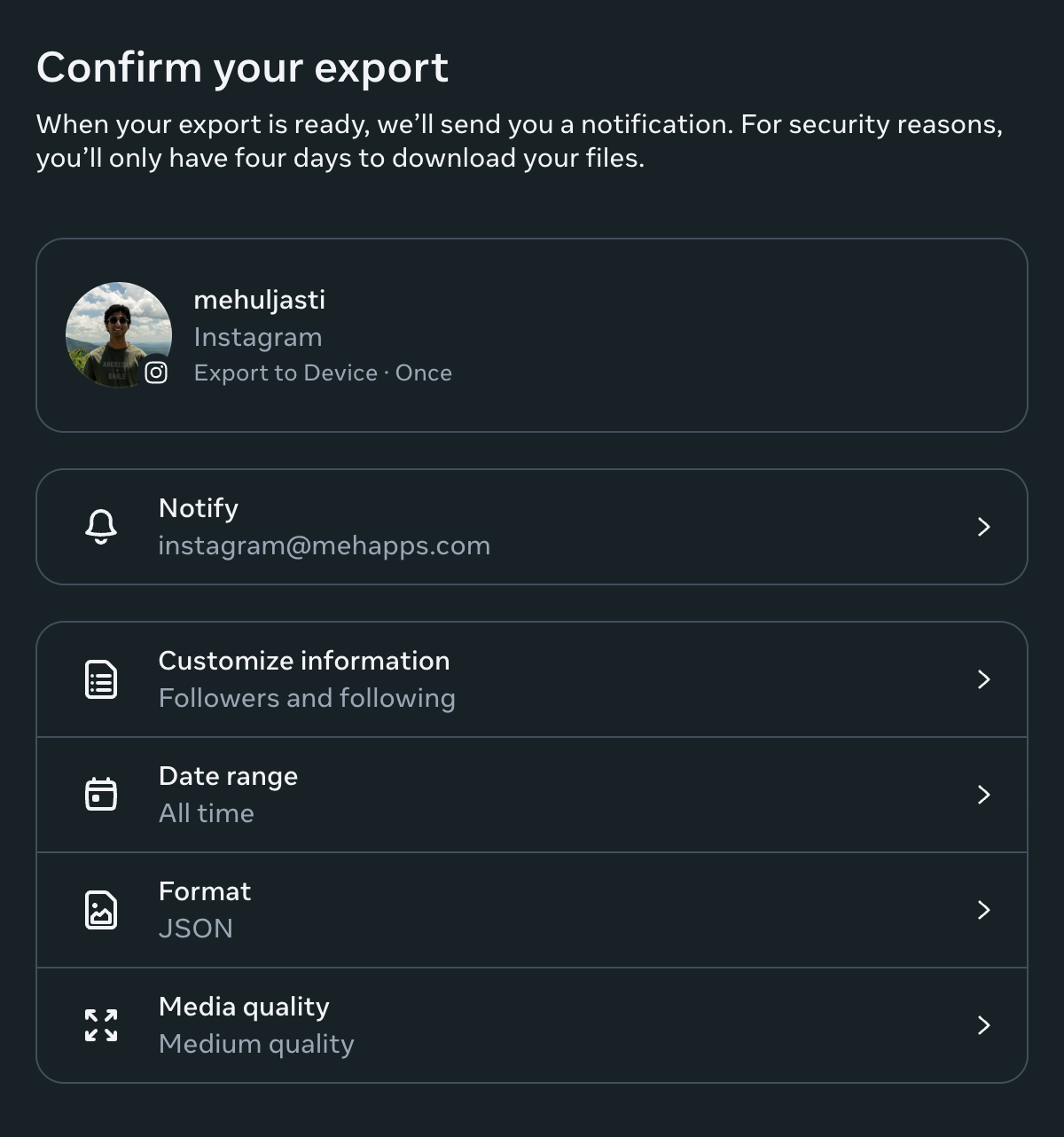
- Unselect everything except "Followers and following"
- Change the date range to "All time"
- Set the format to "JSON"
- Click "Create files" and wait for the notification (usually takes a few minutes)
- Download the ZIP file when ready
What It Should Look Like
Make sure your export settings match the example below.
Step 2: Upload Your Data
Once you've downloaded your data, come back here to analyze it.
Privacy Notice
All data processing happens locally in your browser. We never upload your Instagram data to any server. Your privacy is our top priority.